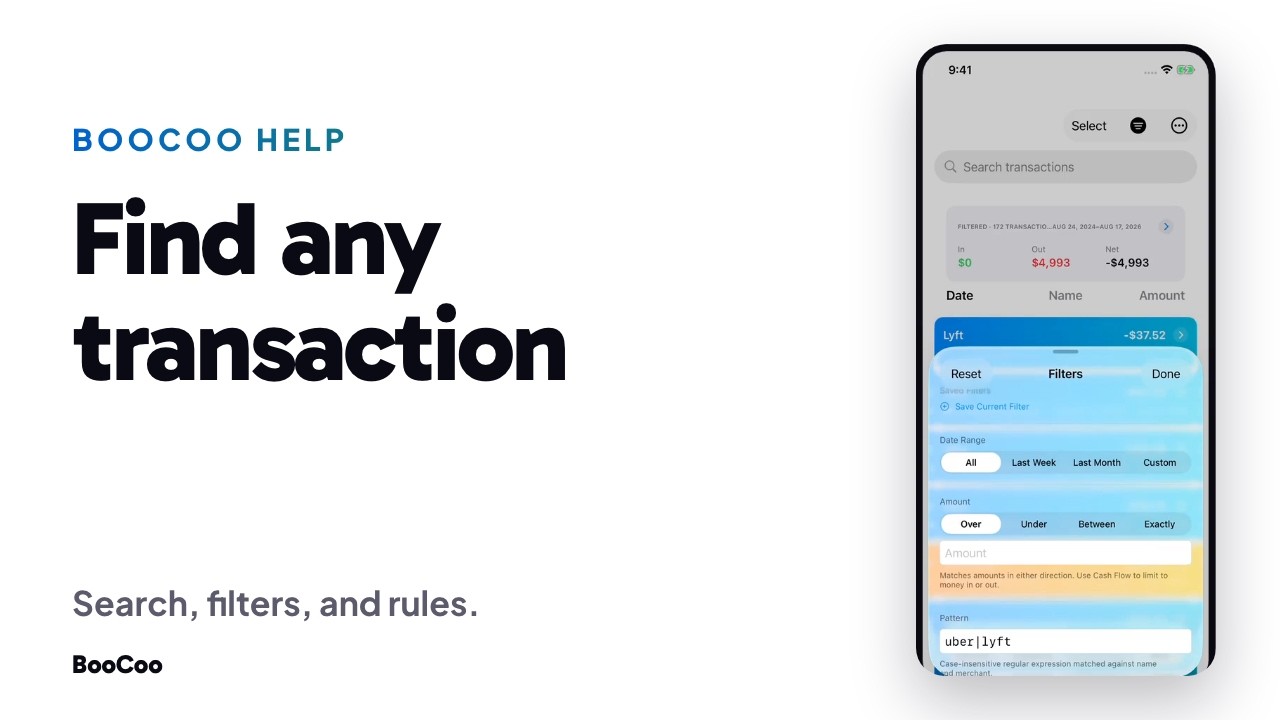
Every transaction BooCoo syncs lands in one list, newest first. Here is how to find any of them, and how to stop seeing the ones you don't want.
Search
Type a merchant into the search field at the top of the Transactions tab. As soon as the list is scoped, a summary card appears above it with the count and the totals for what you found: how many transactions, how much in, how much out, and the date range they cover.
Search also accepts tokens. Start typing an account or a category name and BooCoo offers it as a suggestion; picking it filters by that account or category instead of by text.
Tap the total
That summary card is a button. Tapping it opens the same set of transactions as spending against your own history, with three month, twelve month, and all time comparisons, plus a spending history chart. There is no budget in that view and no target to miss. It tells you how this compares to your own recent typical, and nothing else.
Filters
- Amount. Over, under, between, or exactly. Enter a positive number and pick a direction: the filter matches the magnitude, so you never need a negative sign.
- Cash Flow. Money in or money out.
- Pattern. A case insensitive regular expression, matched against both name and merchant.
uber|lyftfinds both merchants in one pass. An invalid expression is simply not applied, and never blanks your list. - Date range, including a custom start and end.
- Status, pending or posted, and recurring only.
Any filter can be saved and recalled later, and the whole filtered set exports to CSV, not just the rows loaded on screen.
Rules
When you find something you never want to see again, open the transaction and choose Hide Options under Advanced. You can hide that merchant, hide that category, hide the single transaction, or write a custom rule on merchant, description, amount, or category. A rule applies to your whole history, not just the row you started from, and BooCoo shows you how many transactions it will affect before you commit.
Rules can be reviewed and removed at any time from Settings, under Transaction Rules.
Where your data lives
Your financial data lives on your device and in your iCloud. Not ours. BooCoo cannot identify you: no email, no name, no login. We make money from subscriptions. There is nothing else to sell.
Common questions
Do I need to know regular expressions?
No. Search and the amount filters cover almost everything. The Pattern field is there for the times you want two merchants at once, or a partial match that plain search cannot express.
Does hiding a transaction delete it?
No. Hidden transactions stay in your data and stay in your history. They just stop appearing in the list and in your category totals.
Can I get the filtered list out of the app?
Yes. Export sends the full filtered set to CSV.
Video transcript
All transactions, newest first. With filter options to make finding and grouping easy.
Search any merchant. Twenty Kroger transactions, $2,305 out.
Tap the total to see it against your own history.
Filter by amount. Over, under, between, exactly. Money in or money out.
Or match a pattern. One expression finds both merchants at once.
Turn any of it into a rule. Hide a merchant, a category, or write your own.
BooCoo. Money Trends & Vibes.
About BooCoo
A finance app that tells you if you're okay. No budgets. No envelopes. No homework.